How Firma Vivienda works
Firma Vivienda helps you complete your entire property sale: from the earnest money contract (reviewed by lawyers) to the utility transfer, including electronic signature, earnest money transfer, appraisers, mortgages and notaries. No intermediaries, with payment handled by whoever opens the case.
The process step by step
You don't need to be an expert in contracts or paperwork: fill in the details, upload the documentation and the platform guides you through the entire property sale. The contract is reviewed by lawyers.
Create your account and access the User Dashboard
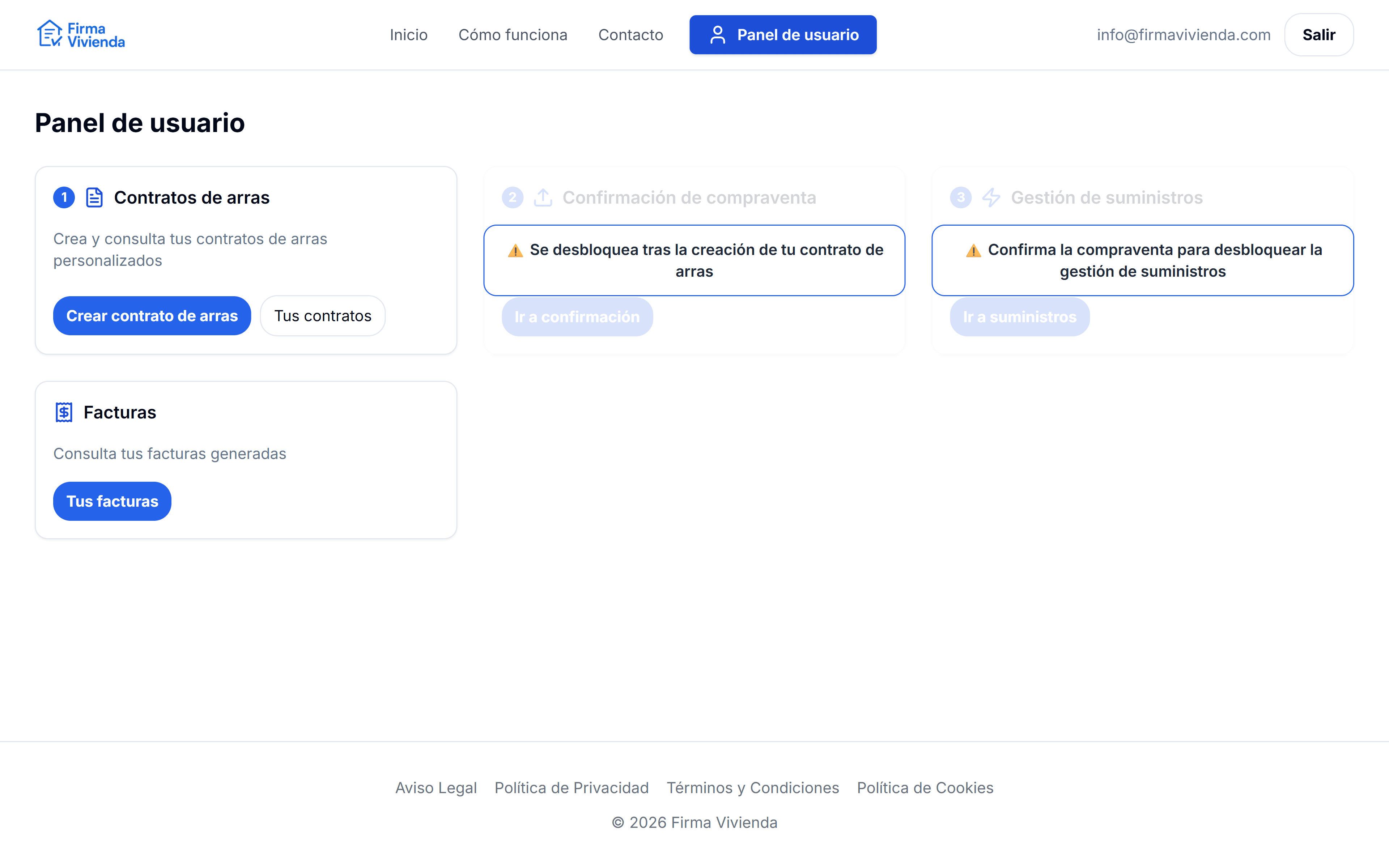
Sign up with your email address and verify your account from the email you'll receive. Once inside the User Dashboard you can start a new earnest money contract whenever you need, view your previous contracts and check the status of each process.
User Dashboard
Real-time chat with support
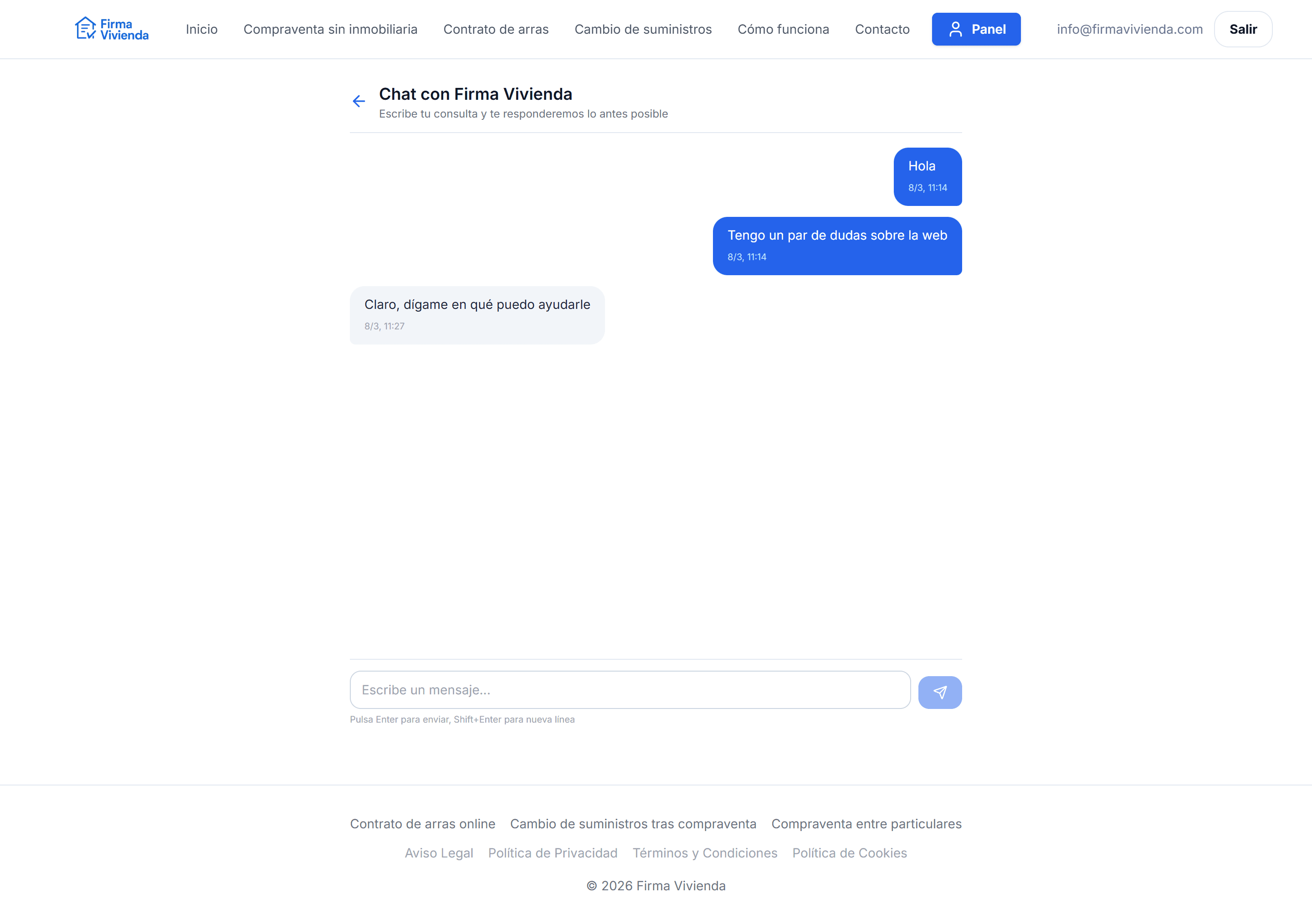
From your User Dashboard you can open a real-time chat with the Firma Vivienda team. Ask your questions, check the status of your transaction or request help at any point in the process. You'll receive an email whenever you get a reply and your messages will be saved so you can review them anytime.
Real-time chat with the support team
Set up the contract: are you buyer or seller?
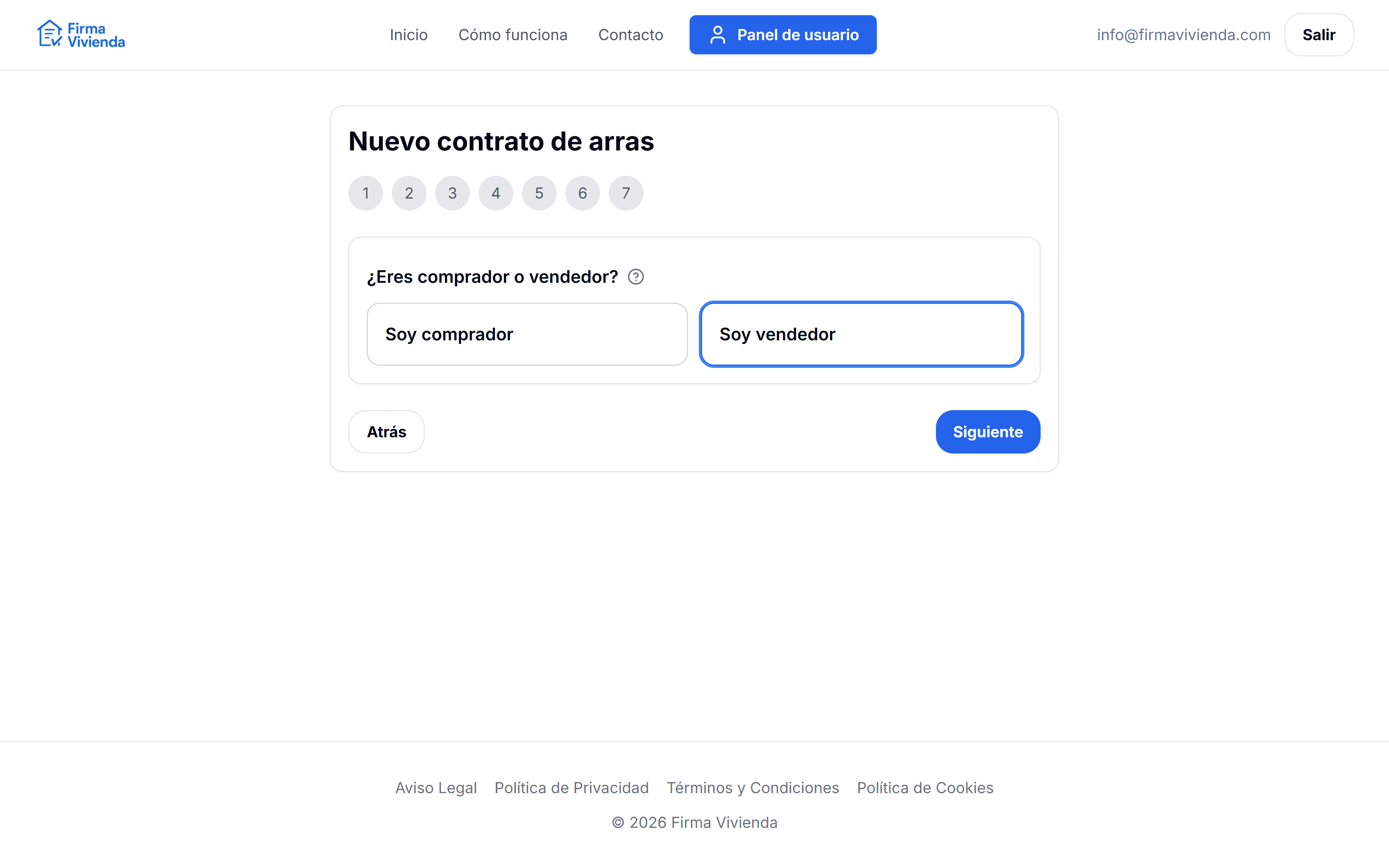
When creating a new earnest money contract, the platform asks you to indicate whether you are acting as BUYER or SELLER. Based on your choice, you can send the draft to the other party (buyer or seller) for review, and they can also access it from their own account.
New contract: select role (buyer or seller)
Enter the property and party details
Fill in the property details (full address, cadastral reference, price, any annexes such as garage or storage room) and the details of each buyer and seller (name, ID number, address, email and phone). Fields are validated to help you avoid typical errors in IDs, emails or amounts.
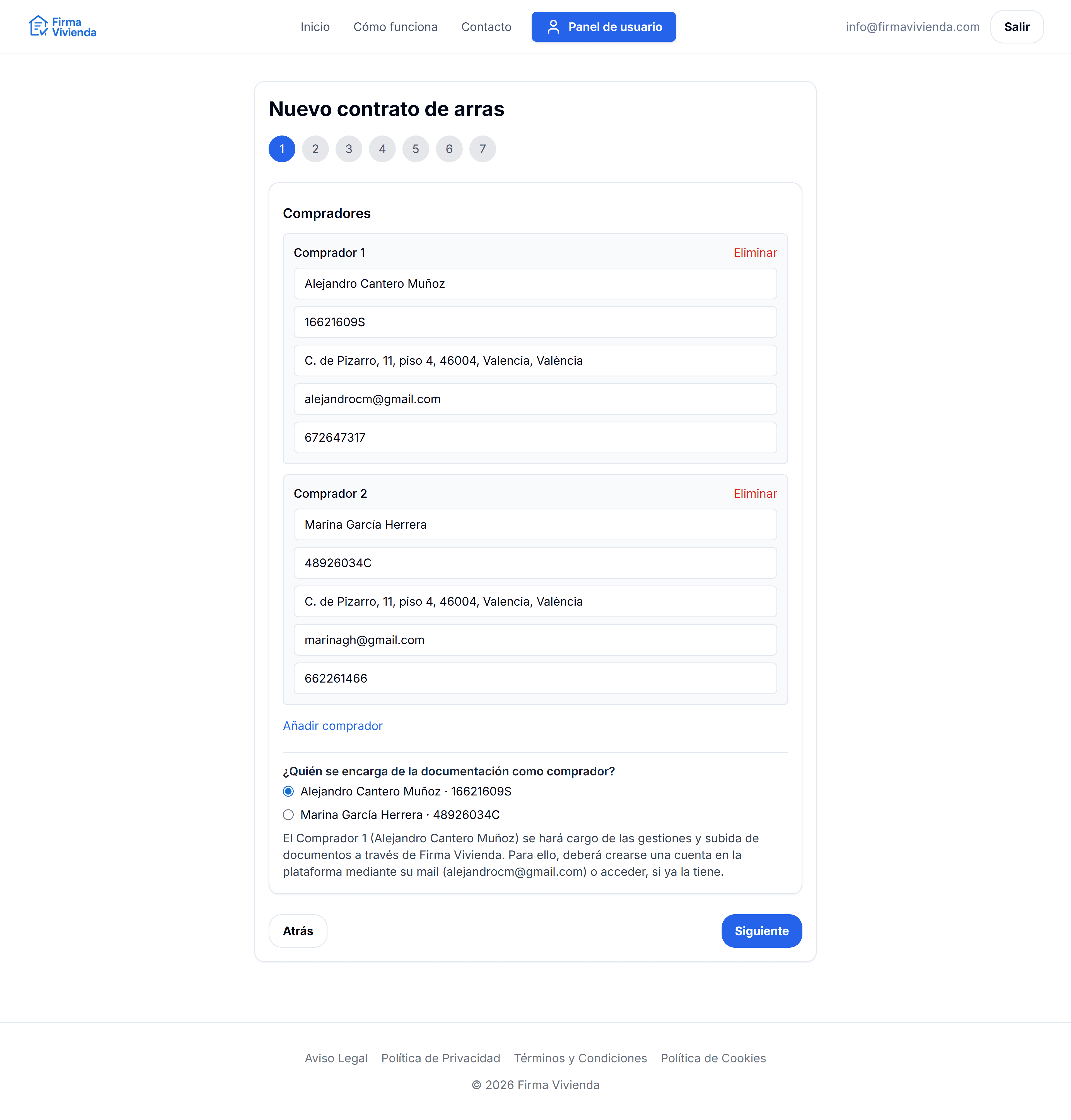
New contract: property and party details
Upload the required documentation
Attach the Nota Simple of the property and the IDs of buyers and sellers. Later you can also upload the document certifying the sale (for example, a simple copy of the deed). All files are stored in a private environment and are only accessible to the parties and the administrator when validating the transaction.
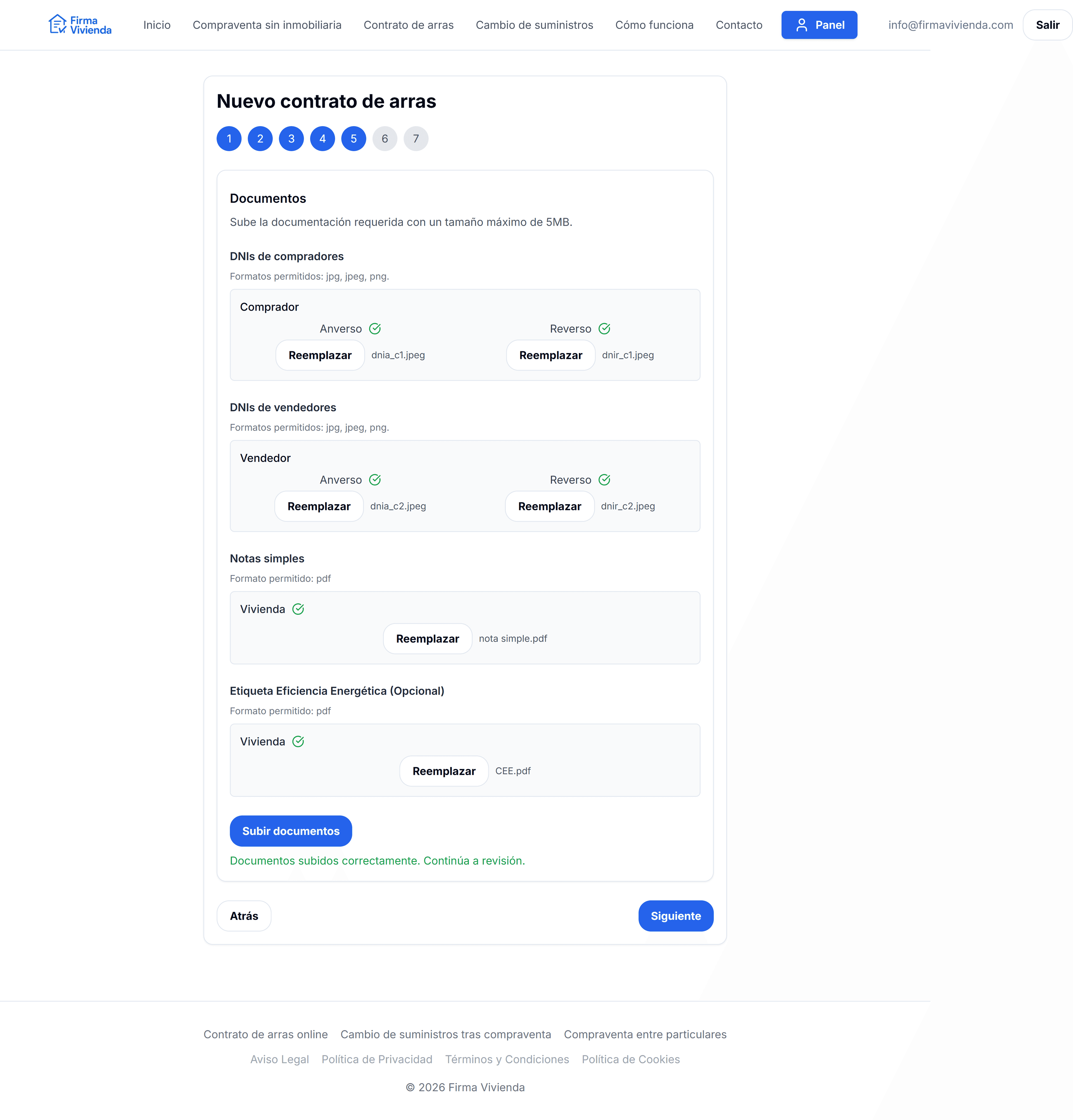
Document upload (Nota Simple and IDs)
Preview the contract and send it to the other party
With the data and documents provided, Firma Vivienda generates a preview of the earnest money contract. From there you can review the content and send it to the other party via an email link so they can review it and access the draft in their "Your contracts" section.
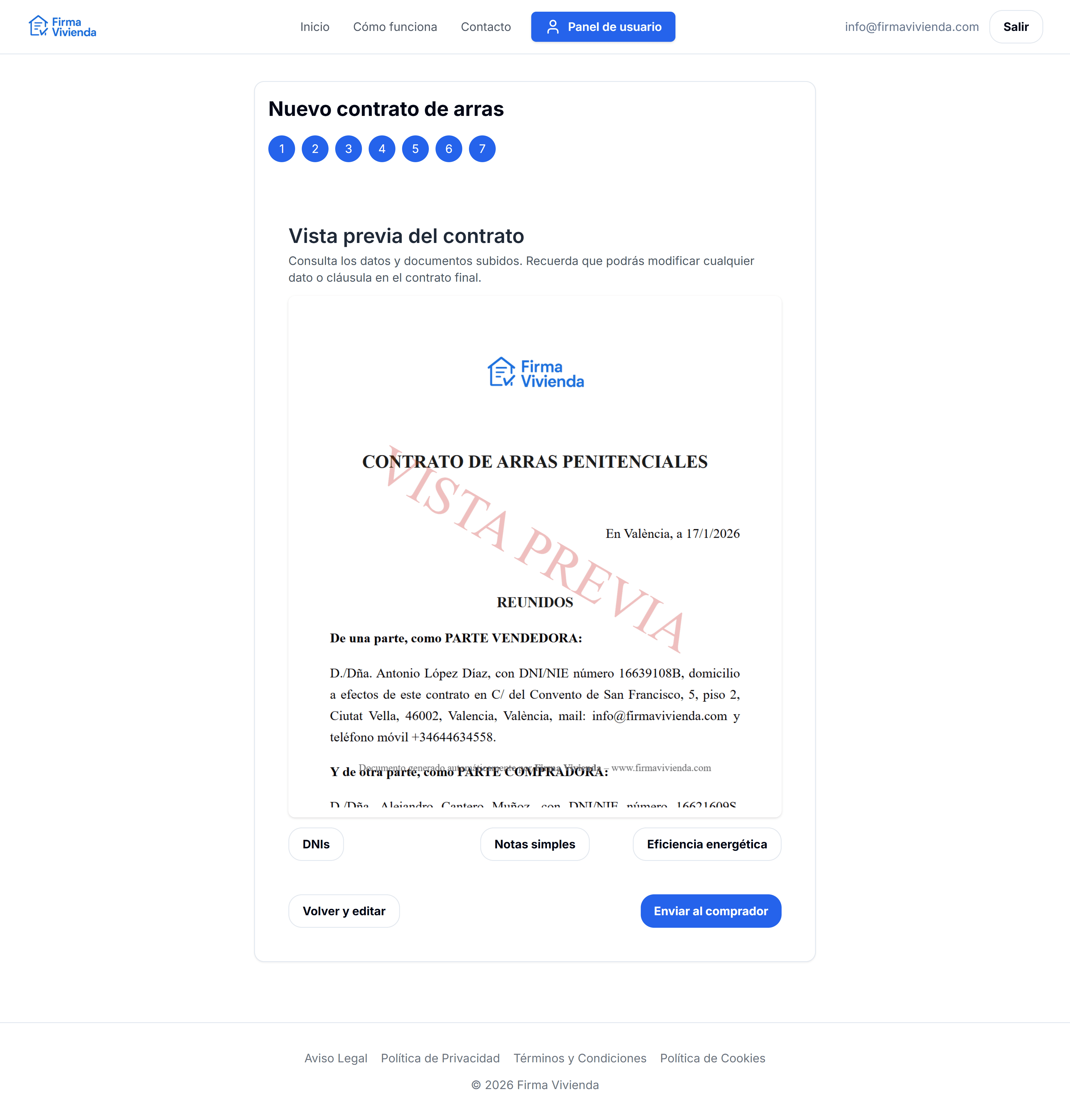
Contract preview and sending to the other party
The person who opened the case pays and unlocks the contract
When the initiator confirms the draft, they choose the plan that fits the transaction. That unlocks the earnest money contract PDF and, depending on the plan, electronic signature and the post-contract sale modules.
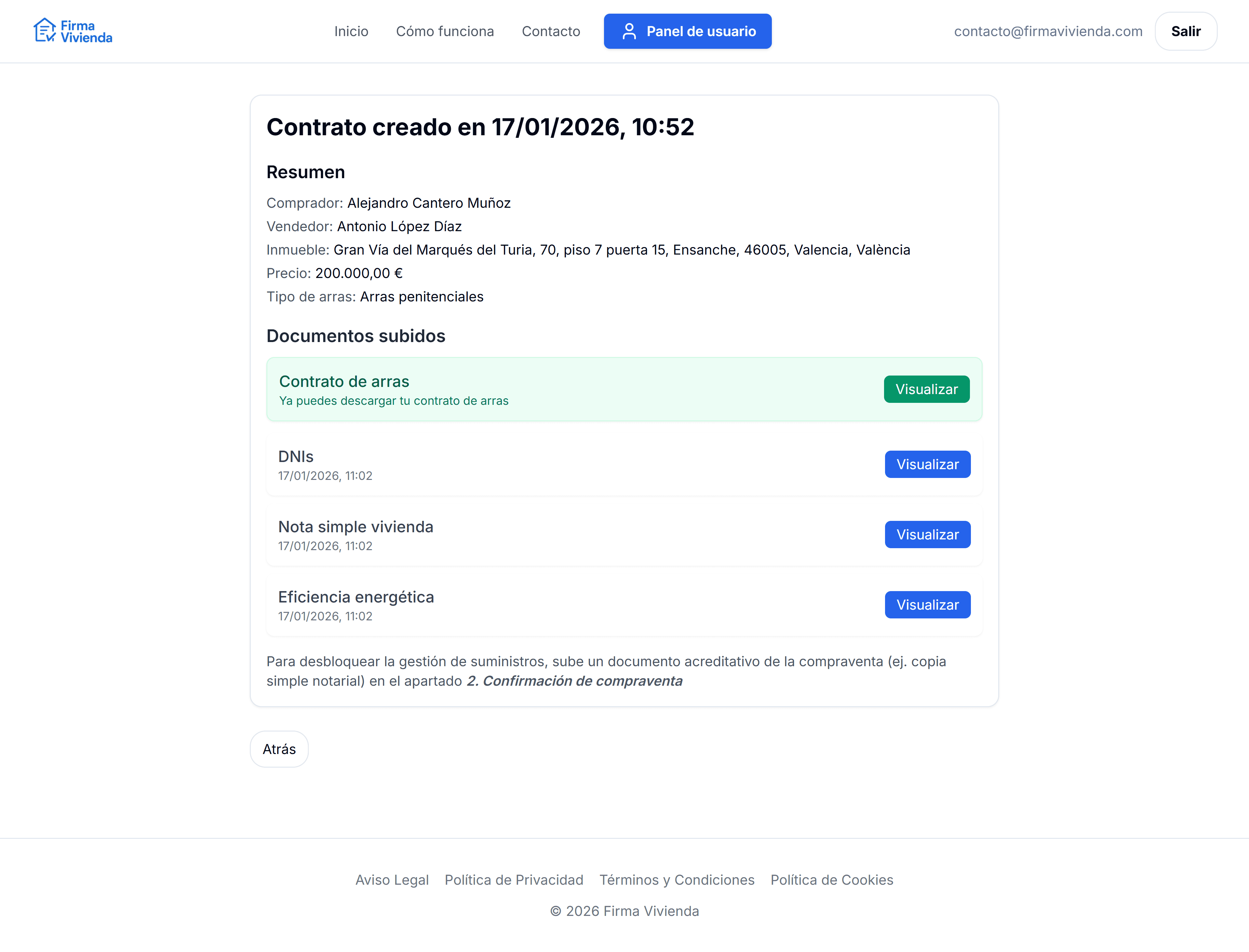
Fixed fee payment via Stripe
The invoice is generated automatically after payment
Once payment is completed, Firma Vivienda automatically issues the invoice for the platform services. The real payer can view and download it as a PDF from their User Dashboard, within the corresponding file/contract.
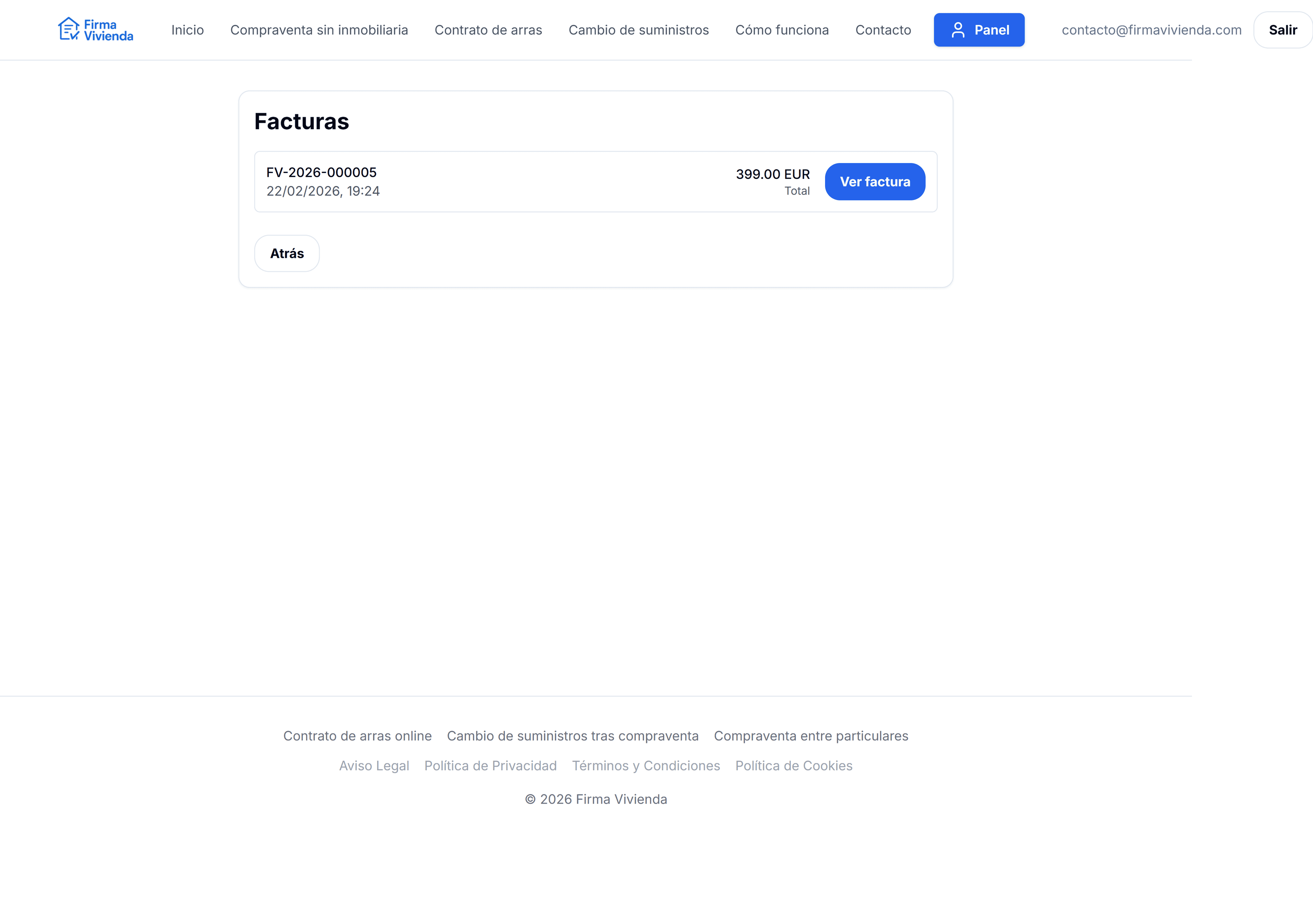
Invoice available after payment
Electronic signature of the contract
After payment, both buyer and seller receive a link by email to digitally sign the earnest money contract. Each party draws their signature from the browser (computer, tablet or mobile). When all parties have signed, the PDF is regenerated with embedded signatures and both parties receive the signed document by email.
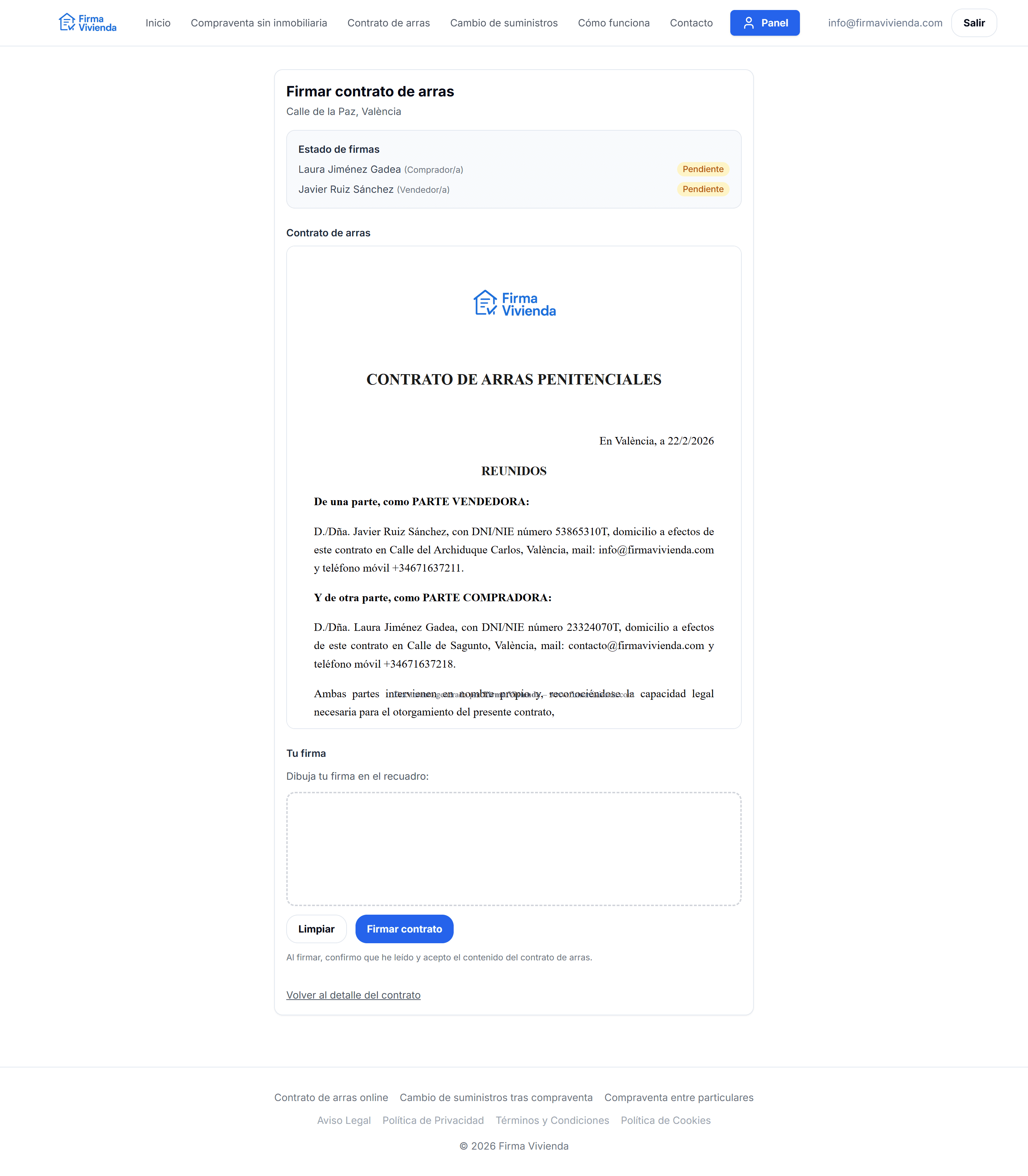
Electronic signature of the earnest money contract
Find a property appraiser
Once the contract is paid, the appraiser search tool is unlocked. Enter the city where the property is located and the platform shows you a list of nearby property appraisers with their contact details, ratings and a link to Google Maps.
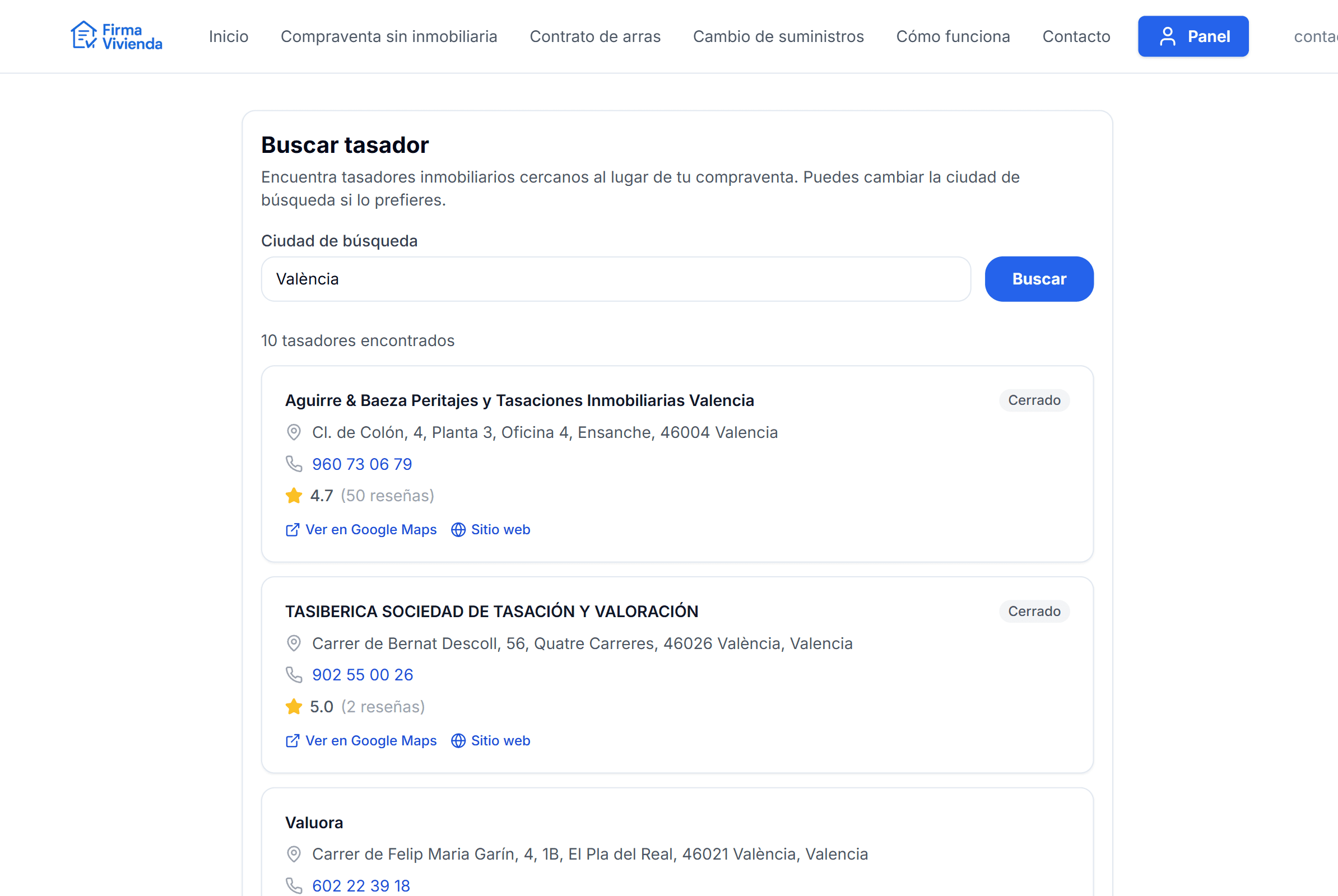
Property appraiser search tool
Compare mortgage offers
If you need financing, access the mortgage comparison tool. You'll see a curated list of the best offers on the market with interest rates, APR, terms and conditions, with a direct link to each bank's website. You can also access the external iAhorro comparison tool to broaden your search.
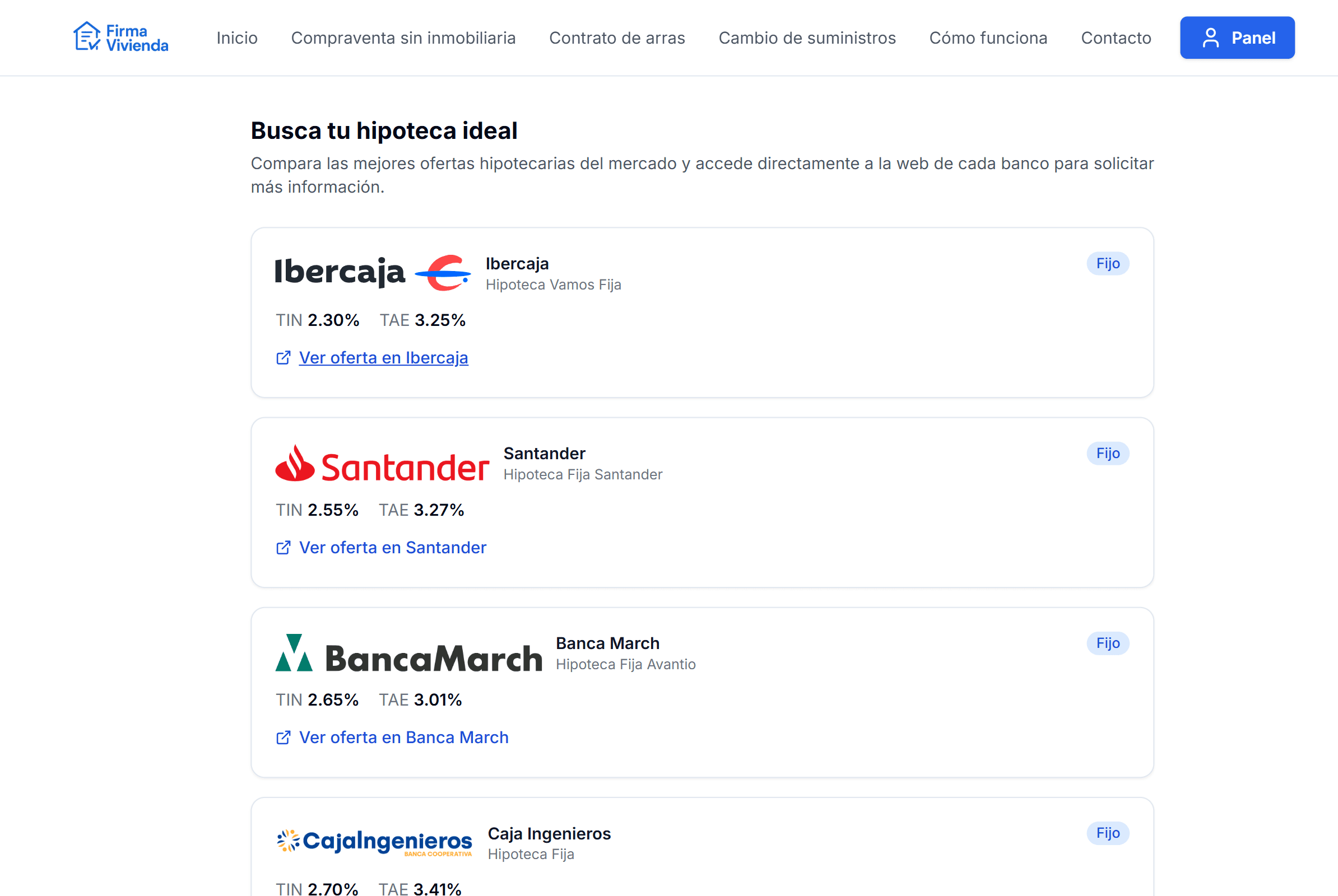
Mortgage offer comparison tool
Find a notary for the notarial signing
From the User Dashboard you can search for notaries near the property sale location. The platform shows you name, address, phone number, opening hours, ratings and a direct link to Google Maps so you can contact and arrange the notarial appointment.
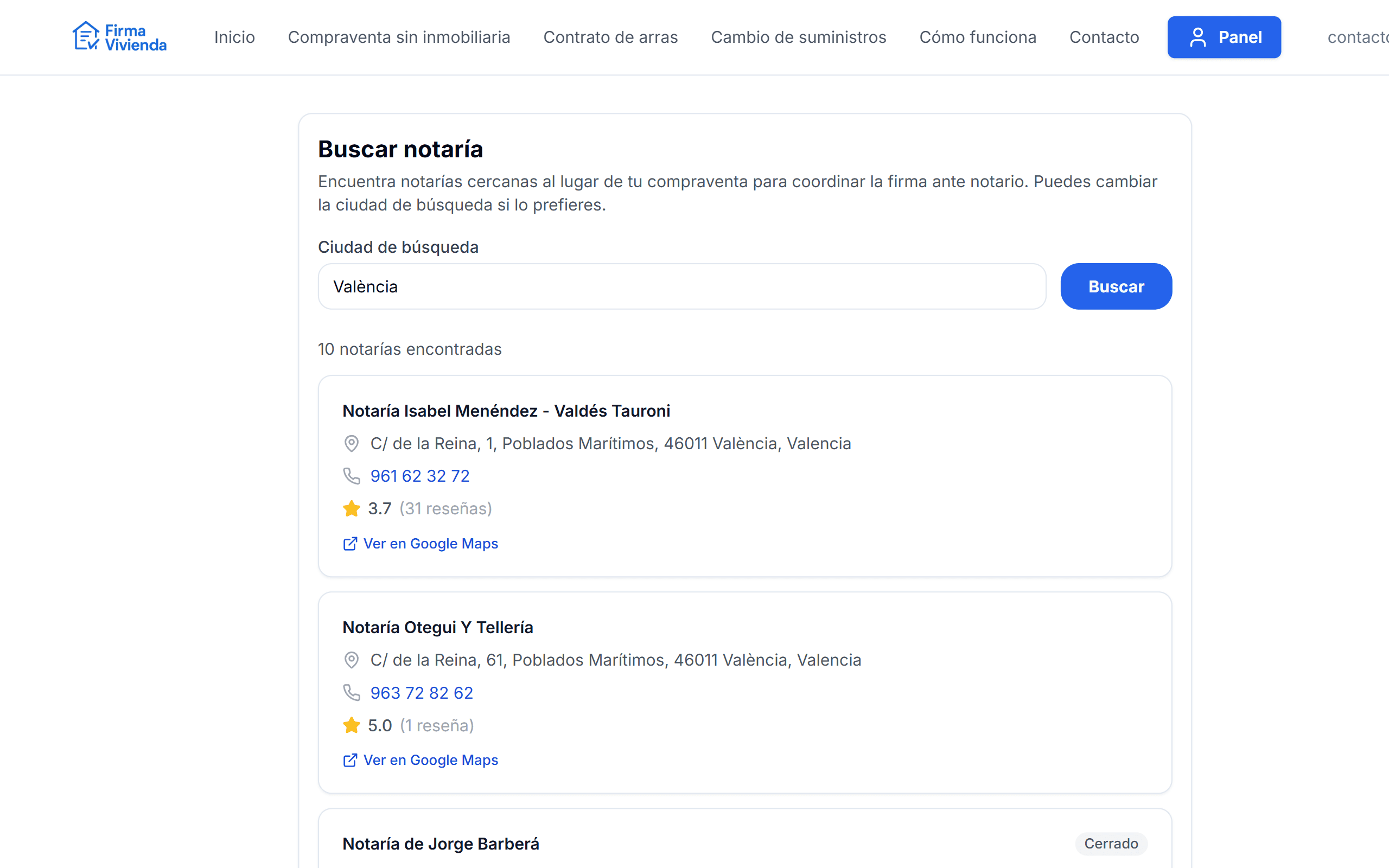
Nearby notary search tool
Confirmation of the property sale
Once the deed is signed before a notary, the user uploads a supporting document (for example, a simple copy of the deed or equivalent proof). The platform administrator reviews the documentation and marks the property sale as confirmed within that file.
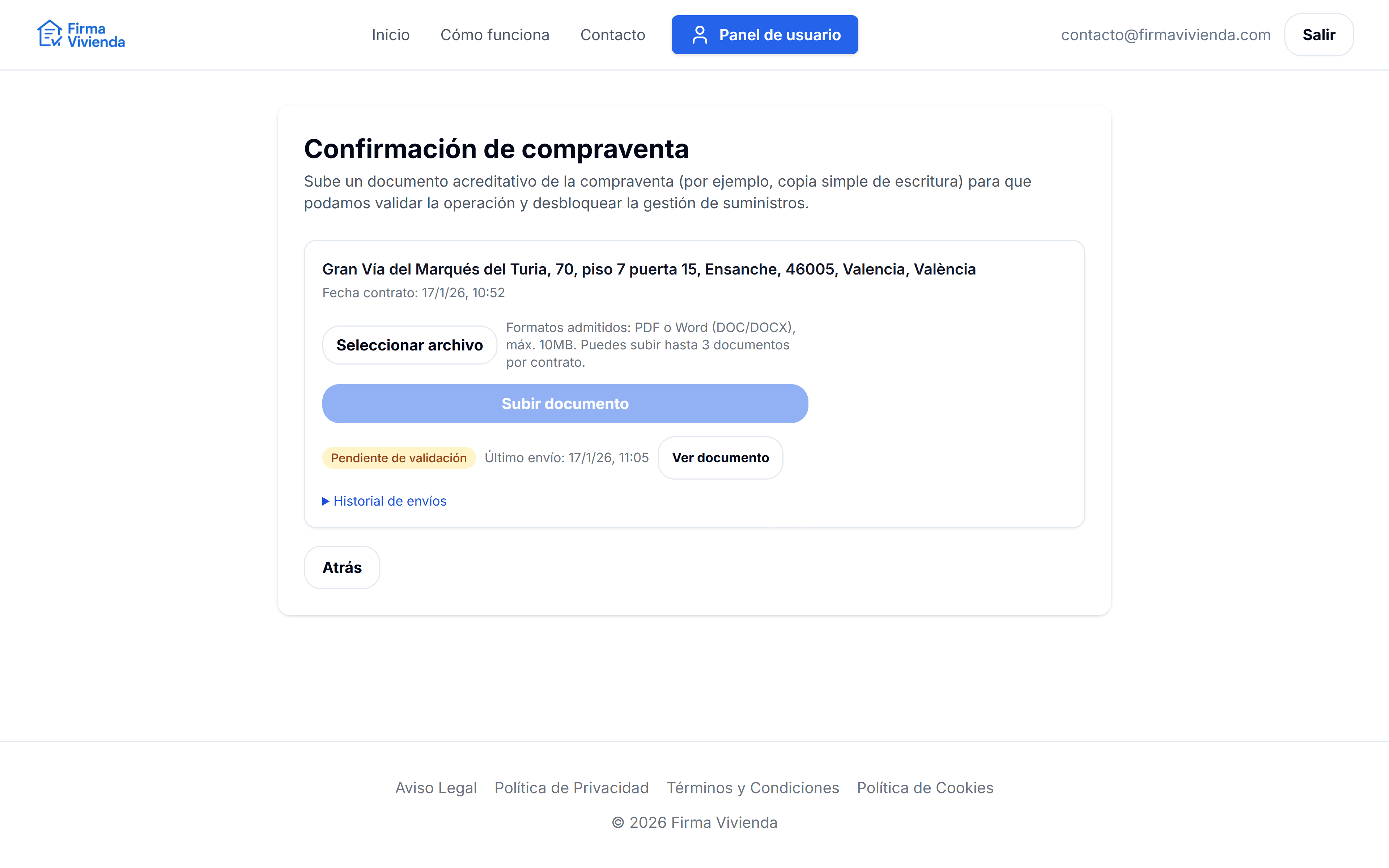
Property sale confirmation (upload and validation)
Utility transfer and tracking
Once the sale is confirmed, the Utility Management module is unlocked. From there you can provide meter readings (for example, water), upload the documentation required by the utility companies and track the progress of the change of ownership for electricity, water and gas. The User Dashboard shows you at all times what is pending and what has been completed.
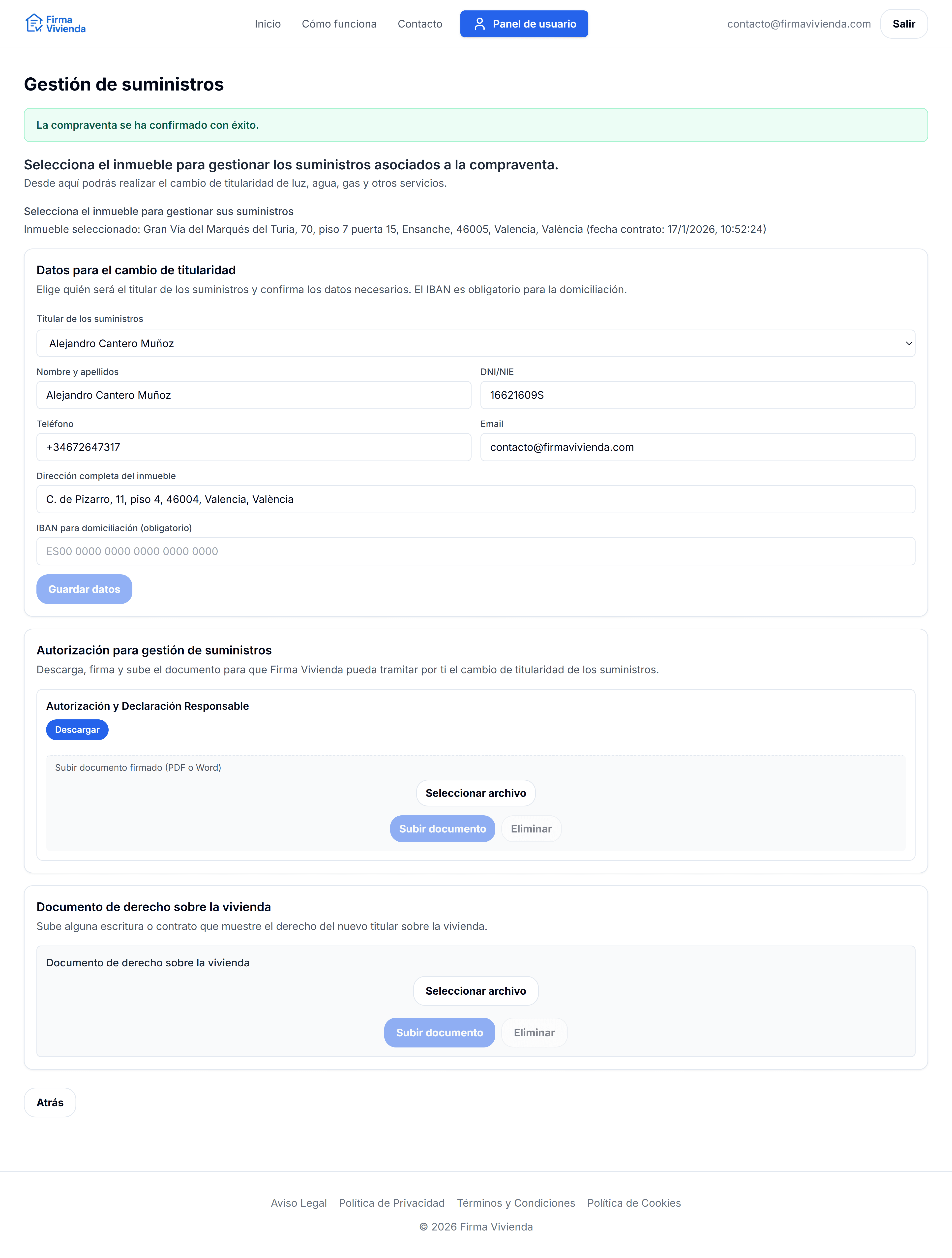
Utility management (buyer view)
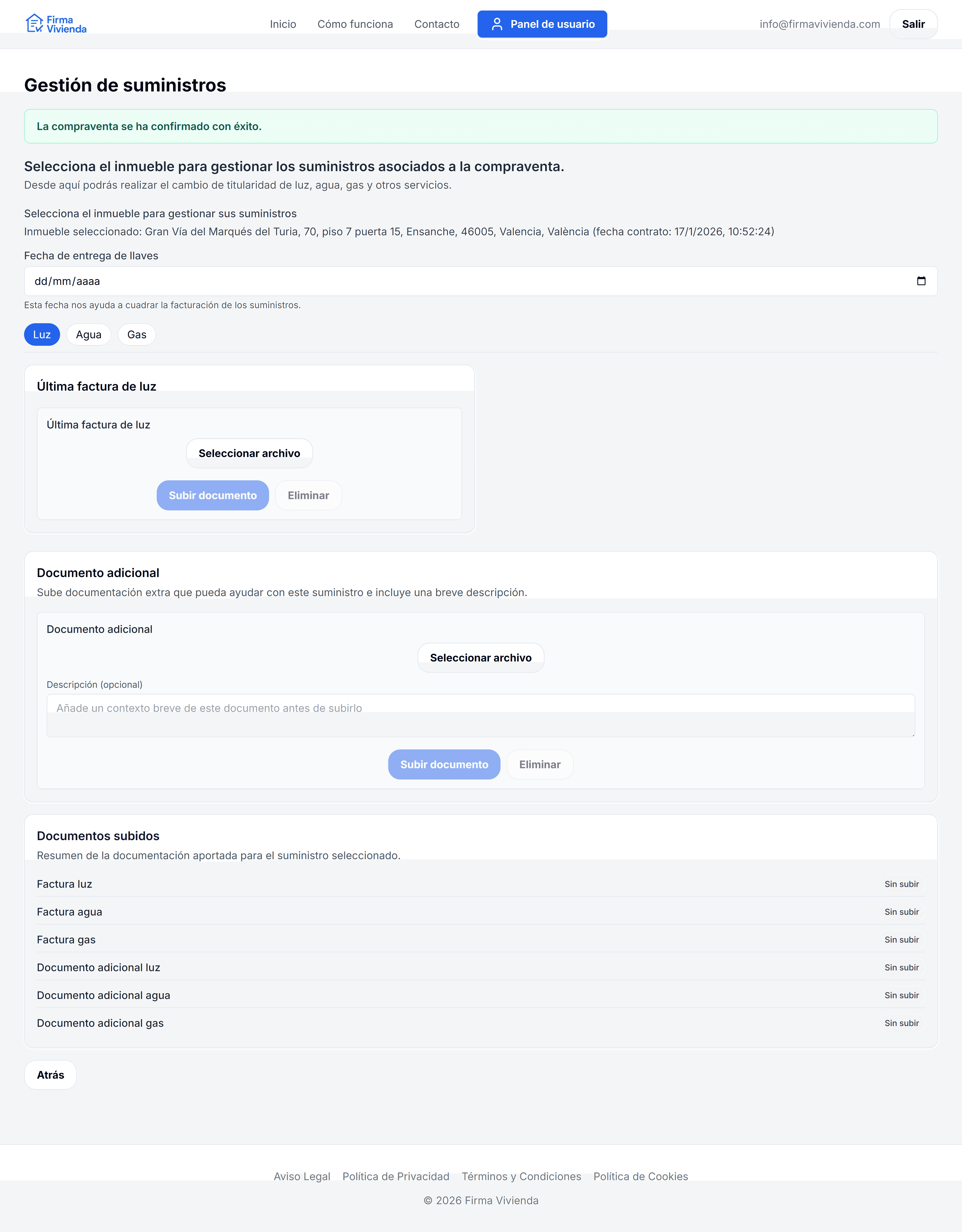
Utility management (seller view)
What Firma Vivienda does
- Generate a professional earnest money contract, reviewed by lawyers and tailored to your transaction.
- Electronically sign the contract from the browser (buyer and seller).
- Display the seller's bank details for the earnest money transfer.
- Find property appraisers, compare mortgages and locate nearby notaries.
- Organise IDs, Nota Simple and all documentation in a centralised file.
- Manage the property sale confirmation and the utility transfer (electricity, water and gas).
- Offer real-time chat with the support team throughout the entire process.
- Issue the invoice automatically after payment of the selected plan, addressed to whoever opened the case.
What Firma Vivienda does not do
- Does not act as an estate agent or charge commission on the property price.
- Does not hold or safeguard the earnest money: payment is made directly between the parties.
- Does not replace the notary or personalised legal advice.
- Does not guarantee the accuracy of the data or the legal status of the property.
- Does not intervene in the financial negotiation between buyer and seller.
Ready to complete your property sale?
Sign up in seconds and manage your entire transaction from a single dashboard: lawyer-reviewed contract, electronic signature, appraisers, mortgages, notaries and utilities. No estate agent commissions, with payment handled by whoever opened the case.